


New games











Train Driver Simulator



About Train Driver Simulator
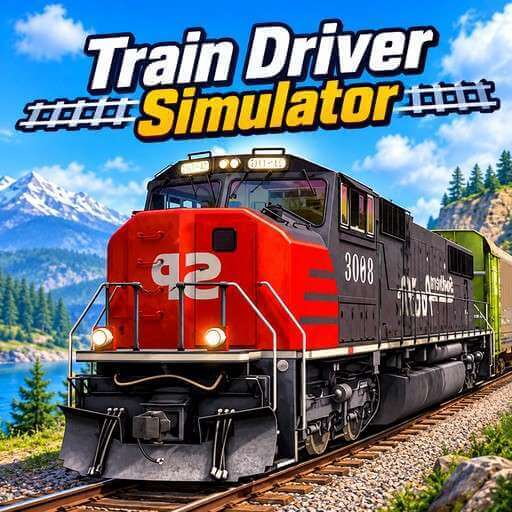
Train Driver Simulator puts you in the driver’s seat of a city train. You run the locomotive, control its speed and guide it from station to station. There is no racing here. The goal is to move safely and stop in the right place.
Train Driver Simulator gives you three levers, and each one has a clear job. City scenery, station signs and signal lights tell you what to do next. Push a lever too fast or too slow, and the train reacts. That makes every move feel real. Can you stop exactly where the platform ends?
Playing Train Driver Simulator Guide
Pull the Right Mouse to Start
Move the right slider and the train begins to roll. The same lever slows you down, so one hand handles both speed and braking.
Small lever moves give a calm, steady ride. Big moves make the train react sharply. Aim for a smooth pace as you approach the next station.
Left Mouse Slider: Turn the train
Signal lights show up before turns and barriers. When one appears, use the left slider to steer. If a barrier lowers, slow down and stop before you reach it.
Change the View with Central Mouse Slider
The center slider switches the camera. You can ride inside the train or look from outside. A new angle often shows a barrier or station marker sooner.
Watch for station signs and brake early. Stopping as close to the platform as you can matters, because accuracy affects where the train ends up. Then repeat the routine on the next city route.
Tips for Better Driving in Train Driver Simulator
Camera Is a Driving Tool
Most players treat the camera as a visual extra. It is more useful than that. Inside the train, you feel close to the controls. From outside, you see more track, barriers, and station markers ahead. Switching views before a busy section gives you extra time to plan.
What helps spot upcoming barriers?
Signal lights appear before barriers and turns. The exterior camera also shows more of the track. Station markers come into view early from outside. Using both gives you extra time. That makes quick reactions easier.
Play Train Driver Simulator and see how close you can stop to the platform.
Driving GamesSkill GamesDiscuss Train Driver Simulator