


New games

Drift Hunters MAX

About Drift Hunters MAX
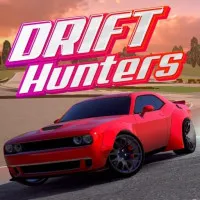
Drift Hunters MAX is a drifting game with realistic physics, built around one skill: holding a slide. You pick a car, hit a track and chain drifts into combos for bigger multipliers. Crash or break the drift, and the combo is gone. The goal is the highest score you can build, one clean slide at a time.
What kinds of tracks are there?
There are three types: Playground, Racetrack and Touge. Thirteen tracks in total are spread across them. Ocean City and Nevada are playgrounds, while Akagi and Fog Mountain are touge runs.
Drift Hunters MAX vs. Drift Hunters
Both games are about handbrake, steering and long combos.
Drift Hunters MAX adds more around that core:
A new mode. Open World is new in MAX. It drops you into a nighttime city with dynamic AI traffic.
Drift Attack for everyone. The timed, score-zone mode is now free and unlocked for all players.
A bigger garage. 39 cars and 13 tracks, many of them updated to look and drive better.
Deeper tuning and better graphics. More parts, more levels of upgrade and a cleaner look.
If you liked the original’s feel, MAX will feel familiar. It just has more places to use it.
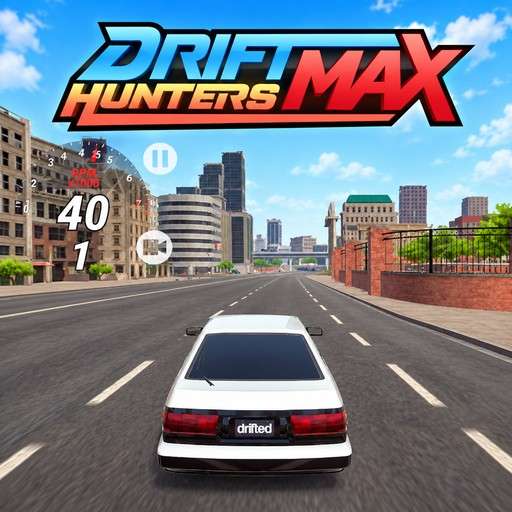
How to Play Drift Hunters MAX
Pick a Mode and a Car
Choose Drift Attack, Freestyle or Open World. Then pick a car from the garage. Start with one you can control, since more power also means more slide to manage.
Start the Slide
Use the handbrake and steering together to kick the rear out. Hold the angle through the corner instead of straightening up early. Link one drift into the next to build multipliers. Don’t crash and don’t end the drift, because either one resets what you’ve built.
Hit the Marks in Drift Attack
Here you race the clock. Hit the clipping points, master the scoring zones and compete on global leaderboards. Each configuration can be played for three stars.
Earn, Tune, Repeat
Cash from your runs pays for upgrades. You can improve brakes, weight, gearbox, turbo and engine, in levels from Stock and Street to Racing and Pro. Add rims and paint to match.
PC Controls
- W or Up to accelerate, S or Down to brake, A / D or Left / Right to steer.
- Space for handbrake, Left Shift to shift up, Left Ctrl to shift down (manual gearbox).
Mobile/ Tablet Controls
- Accelerate and brake buttons on the bottom right.
- Steering buttons on the bottom left.
- A “!” button for the handbrake
When you want to swap slides for lap-by-lap racing against four rivals, try Go Kart Racing Game.
Driving GamesSkill GamesCar GamesDrifting GamesDiscuss Drift Hunters MAX